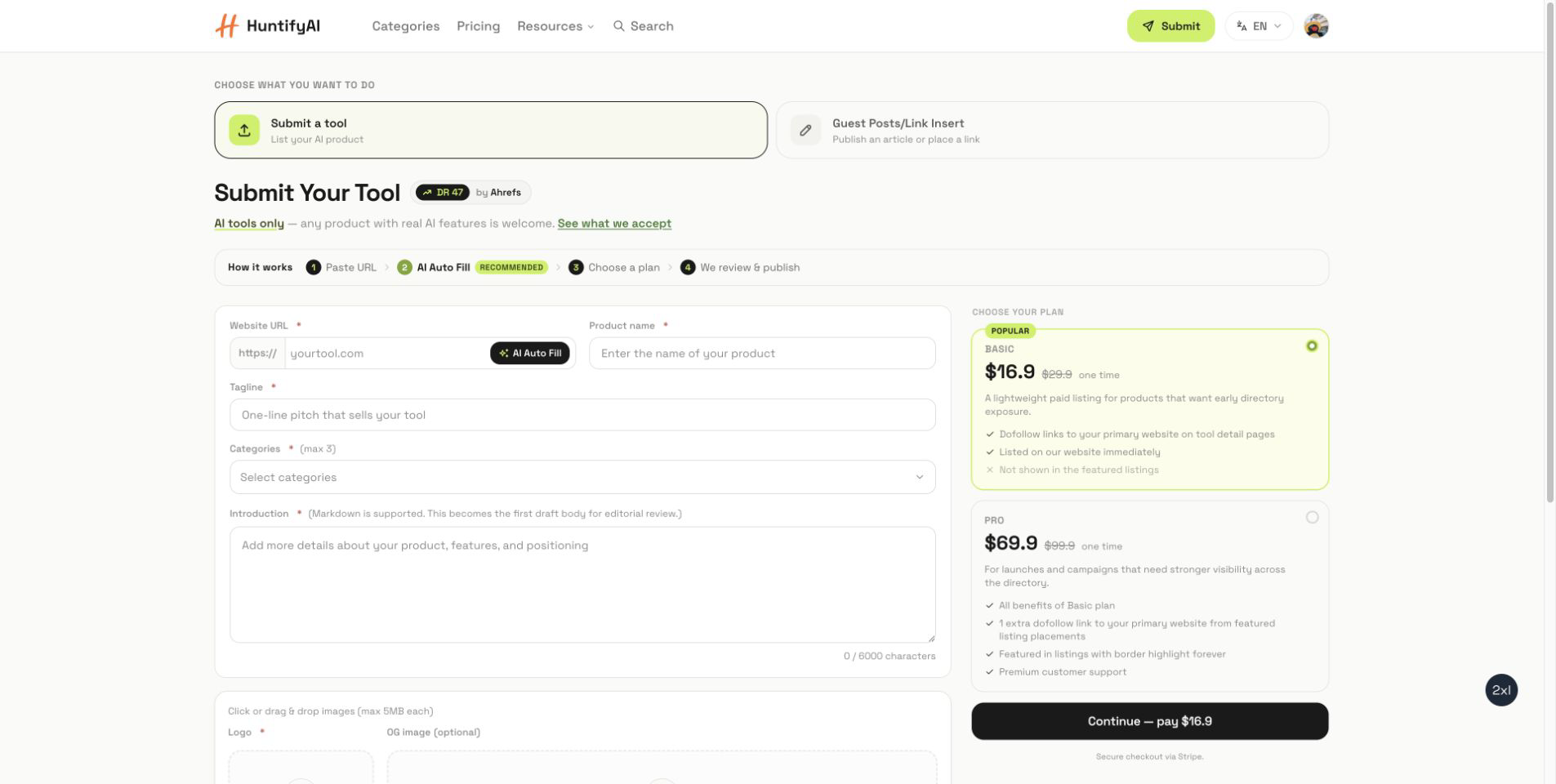
HuntifyAI has two submission paths on the same page. Use Submit a tool when you want an AI product reviewed for the directory. Use Guest Posts/Link Insert when you want to submit editorial content or request a contextual link placement.
The forms look similar at first, but they lead to different review queues. Pick the right path first, then prepare the details that match that outcome.
1. Choose the right submission path
Start from the submit page and select the mode that matches your goal.
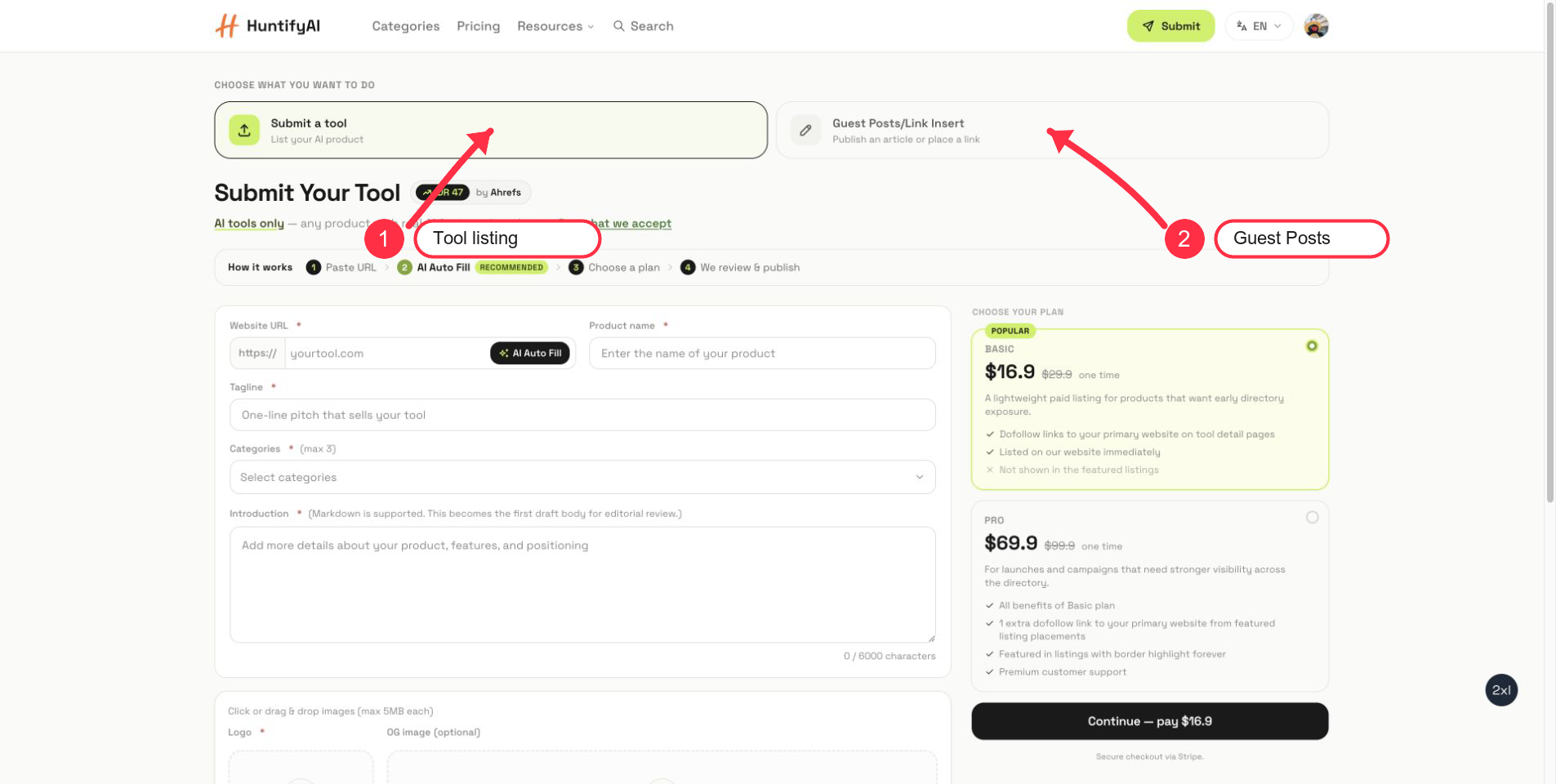
Choose Submit a tool if you are submitting an AI product, app, API, workflow tool, or platform that should appear in the HuntifyAI directory.
Choose Guest Posts/Link Insert if you want to contribute an article or request a contextual link placement through the blog/editorial side.
Only submit URLs you own, operate, or are authorized to represent.
2. Submit an AI tool listing
For a tool listing, paste the official product URL first. AI Auto Fill can prepare a first draft, but you should still review every field before continuing.
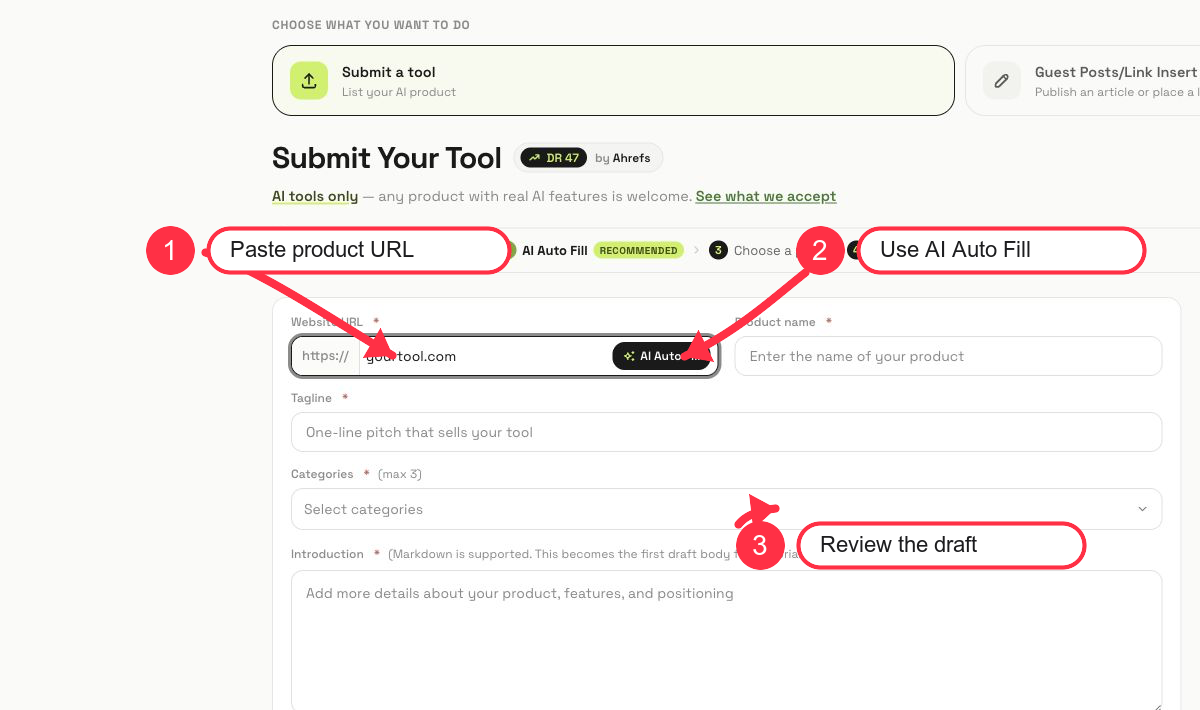
The key fields are:
- Website URL: use the official product homepage.
- Product name: keep the brand spelling consistent.
- Tagline: write a clear one-line pitch.
- Categories: choose the closest category instead of adding loose matches.
- Introduction: explain what the product does, who it is for, and why it is useful.
- Logo and OG image: upload clean assets that represent the product.
After the draft looks right, choose the listing plan and continue. Do not rely on auto-fill blindly; inaccurate categories or vague copy make review slower.
3. Submit a guest post or link insertion
Switch to Guest Posts/Link Insert when the goal is editorial placement rather than a directory listing.
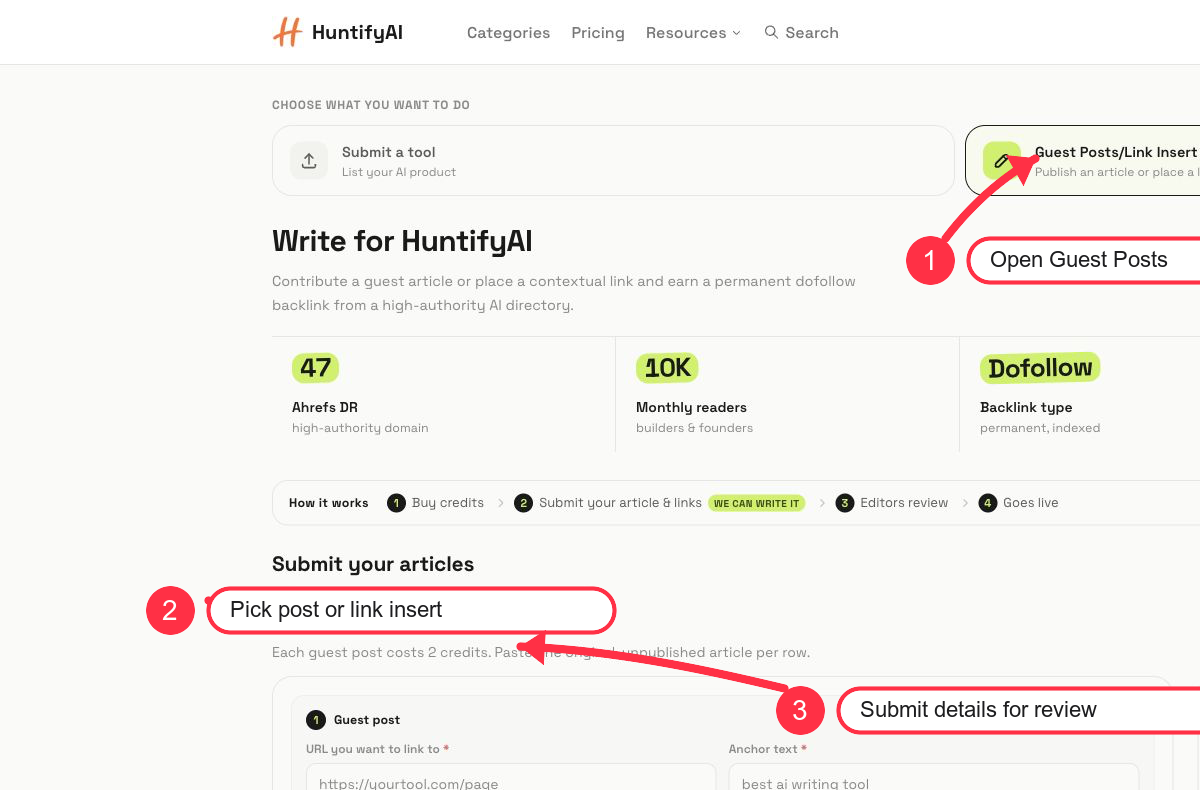
This mode supports two formats:
- Guest post: submit an original article draft with the URL and anchor text you want reviewed.
- Link insertion: request a contextual link placement in existing or relevant editorial content.
The workflow is credit-based: buy or use credits, submit the article or link details, wait for editorial review, and then the approved placement goes live.
4. What to prepare before submitting
For a tool listing, prepare:
- Official product URL
- Product name and tagline
- Category choices
- Product description
- Logo and optional cover image
- Official social links if available
For guest posts or link insertions, prepare:
- Target URL
- Anchor text
- Article title or topic
- Original article draft, if submitting a guest post
- Draft link if the content lives in Google Docs, Notion, or another editor
5. Common mistakes to avoid
- Do not submit a non-AI site as a tool listing.
- Do not submit a third-party brand you do not represent.
- Do not treat guest posts as product listings; they are editorial submissions.
- Do not use vague anchors like "click here" if you are submitting a link insertion.
- Do not skip the review step after AI Auto Fill.
FAQ
Which mode should I use for my product?
Use Submit a tool if you want your AI product listed in the directory.
Which mode should I use for an article or contextual link?
Use Guest Posts/Link Insert. That flow is built for editorial submissions, article drafts, and link placement requests.
Does AI Auto Fill publish my tool automatically?
No. AI Auto Fill helps prepare the draft fields. You still need to review the details and continue through the selected submission flow.
Can I submit a website I do not own?
No. Submit only products, URLs, or editorial placements you own, operate, or are authorized to represent.
Category Guides
Building an AI tool?
Get it in front of people comparing tools on HuntifyAI, or pitch an article or link placement to our editors.