


3D Camera Control
Turn one photo into front, side, back, and top-down views with AI. Free and instant multi-angle image generation.
Are you the maker of 3D Camera Control?Claim toolAdvertise
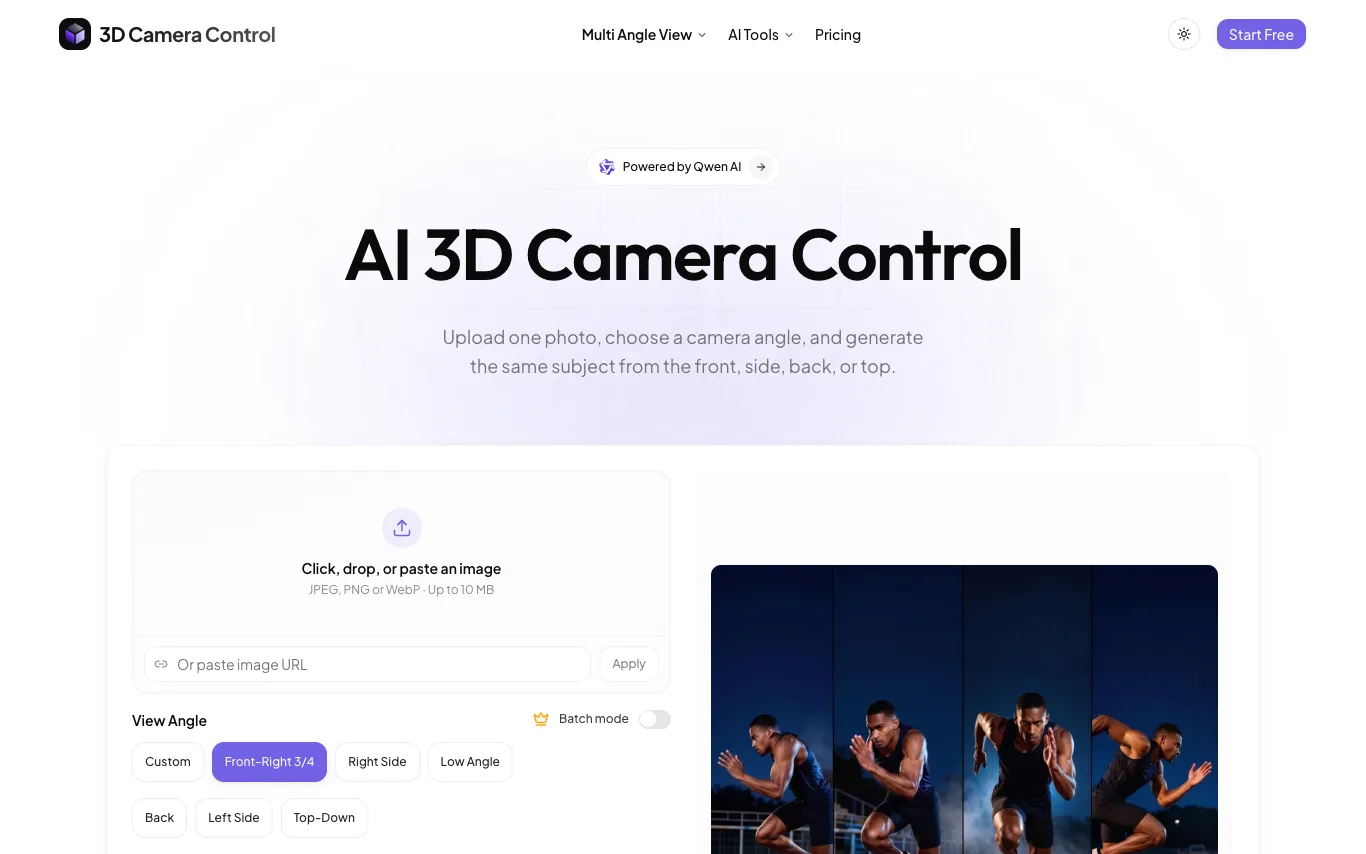
What is 3D Camera Control?
3D Camera Control is a free AI tool that generates multiple camera angles from a single photo. Users can obtain front, side, back, and top-down views instantly. The service is designed for quick and easy multi-angle image generation without cost.
What can 3D Camera Control do?
3-Axis Camera Control
Sliders for horizontal rotation, vertical elevation, and distance.
Consistent Identity
Face, outfit, and product details stay recognizable as the angle changes.
Production-Ready PNG Export
Clean PNG output for design sheets, product pages, and client work.
Fast Angle Iteration
Generate one angle then the next without re-prompting.
Who is 3D Camera Control for?
- Character & Concept Artists
- Generate front, side, back, and top views of a character from one reference to build a consistent design sheet.
- E-Commerce & Product Creators
- Produce multiple product angles from a single photo for listings while keeping the product's details consistent.
- AI Video Creators
- Create matching viewpoints of a subject to feed into AI video tools like Kling, Runway, or Veo.
- Generative Explorers & Prompt Builders
- Explore different camera angles of the same subject without re-prompting or losing identity.
Free
3D Camera Control is free to use.
Frequently Asked Questions


 +4
+4Looking for something else?
Compare 3D Camera Control with similar tools on pricing, features and traffic.
More AI Image Generator tools
View all Add Person to PhotoUpload a scene photo and a person's photo.
 AdobeCreative, marketing, and document management suite with AI-powered tools across Photoshop, Premiere, Firefly, and Acrobat.
 Agnes AIFree Omni-Modal AI API, World-Class AI Models & AI Applications
 AI Image EditorEdit photos online with prompt-based AI tools for cleanup, restyling, retouching, upscaling, and fast creative image wor
 AI Yard Design StudioProfessional Landscape Design, Made Simple
 AI RaphaelAI Raphael: Create and edit images with precise AI generation, photo editing, and consistent character results.
 AISnapEditOne workspace for AI image, video, music and voice generation, sharing a single credit balance.
 Anime MakerAI anime generator for images, characters, and clips.